Game news · AI
XBOX Insiders Get New Home, Library, and Guide Customization Options
XBOX Insiders can now customize the console experience with rotating Home backgrounds, new organization options for digital licenses claimed from disc-based games, and the ability to choose which side of the screen the Guide opens on. Alpha Skip-Ahead members can try the features first, with broader availability planned over time.
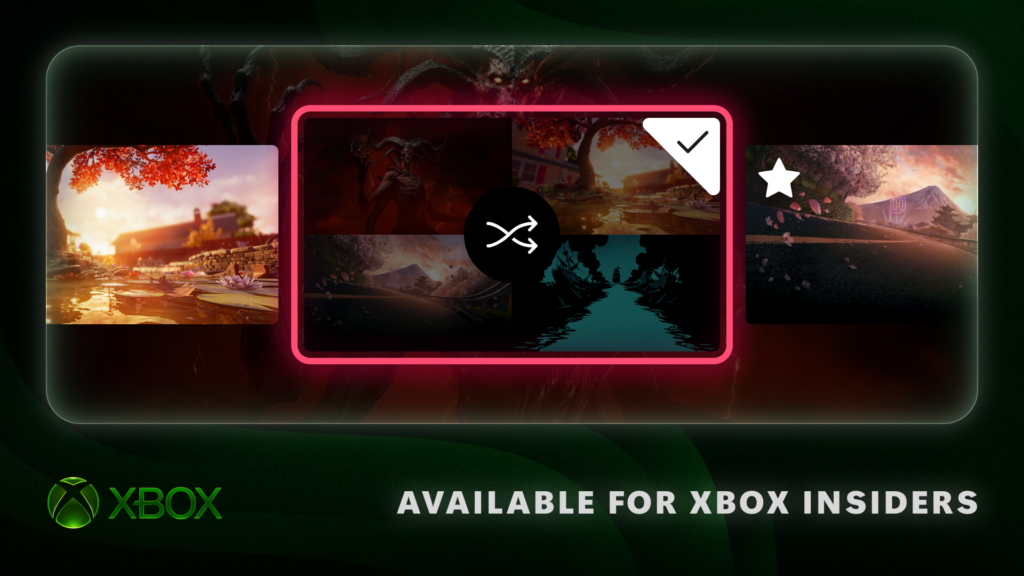
A more changeable Home screen
The new Home options let Insiders save favorite dynamic backgrounds and shuffle through them automatically. Favorites can be created through Settings > General > Personalization > My background > Dynamic backgrounds > Dynamic backgrounds: select a background and press X, after which it appears in the new Favorites category.
Shuffle can be selected at the start of any background category. The Home background can then change each time the player signs in, or on an hourly, daily, or weekly schedule, either by shuffling favorites or exploring an entire category.
An exclusive controller background can also be saved as a favorite. The XBOX Wireless Controller X25 Special Edition background will then remain available to use even when that controller is not connected.
More control over digital licenses
Xbox has allowed players to claim digital licenses for disc-based games since August. Following feedback that players wanted more control over how those games appear in their libraries, Insiders who have claimed a license will now see the associated games in a separate category within their full library.
Players who prefer to keep these games alongside their other owned titles can switch back to the combined view under Settings > General > Personalization > Games & apps. The same settings page can also hide the digital-license icon from game tiles.
Choosing the Guide's side
The Guide can now open on either side of the screen. Insiders can select their preferred side under Settings > General > Personalization > Guide, changing how they navigate around XBOX.
Alpha Skip-Ahead members have first access to these updates, while Xbox plans to expand availability to more XBOX Insiders and players over time. Insiders can also share feedback about the changes.
At a glance
- Rotating Home backgrounds
- Insiders can save favorite dynamic backgrounds and choose Shuffle to rotate them at sign-in or on an hourly, daily, or weekly schedule.
- Background setup
- Favorites can be selected under Settings > General > Personalization > My background > Dynamic backgrounds > Dynamic backgrounds and added by pressing X.
- Disc-game license organization
- Insiders who claimed a digital license from a disc-based game can see those games in a separate library category, restore the previous combined view, or hide the digital-license icon on game tiles through Settings > General > Personalization > Games & apps.
- Guide placement
- The Guide can open on either the left or right side of the screen, with the choice available under Settings > General > Personalization > Guide.
- Initial Insider access
- Alpha Skip-Ahead members can try the updates first; Xbox says it will bring them to more XBOX Insiders and players over time.